Walpersdorfer Str. 38
91126 Schwabach
Tel.:
+49 (0)9122 - 63148-0
Fax.:
+49 (0)9122 - 63148-29

Overview
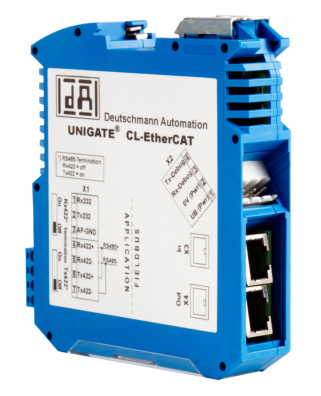
Feldbus Gateway
•
Gateway for an easy connection of BMR frequency
converters to higher level machine controls
•
Support most industrial and fieldbus systems
•
Designed for Industry 4.0 applications
•
Interface for a mudluar, smart and compact system
solution
•
Currently supported: Profibus, EtherCAT, Common Ethernet,
EtherNet / IP, DeviceNet, Profinet-IRT, BACnet/IP, CC-Link IE Field, CC-
Link, Modbus TCP, Powerlink etc.
•
Can be retrofitted and compatible with existing BMR frequency
drives
Feldbus Gateway
15 Pin Sub-D to Mini-USB
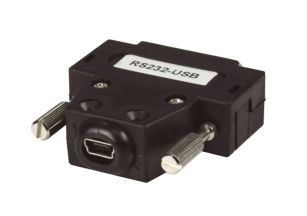
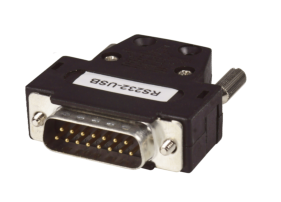
The adapter has to be plugged into the 15 pin Sub-D connector of the
inverter. A mini USB cable can then be plugged into this and connected to
the PC. The inverter can then be configured using the free terminal software.
Compatible to:
•
SFU 0200
•
SFU 0102 / 0202
•
SFU 0300

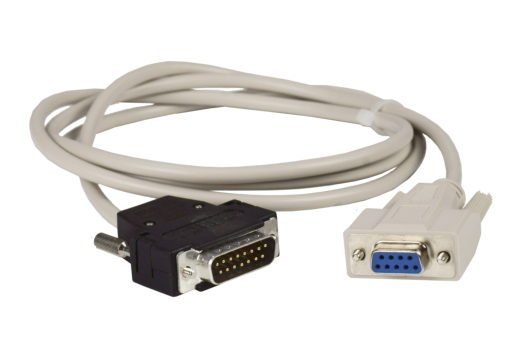
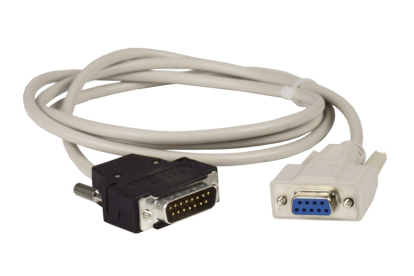
15 Pin Sub-D to RS232
This cable is used to connect the inverter to an RS232 interface. This can be a
machine controller, or a PC to configure the inverter. The inverter can be
configured using the free terminal software.
Compatible to:
•
SFU 0200
•
SFU 0102 / 0202
•
SFU 0300

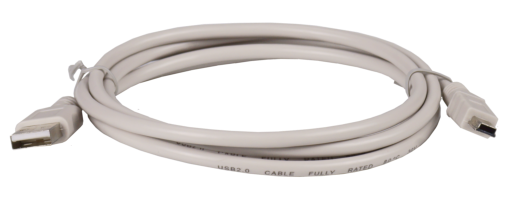
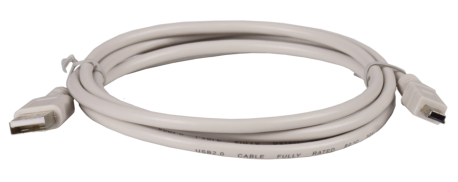
Mini USB cabel
This cable is used to connect the inverter to the PC. The inverter can be
configured using the free terminal software.
Compatible to:
•
SFU 0103 / 0203
•
SFU 0156
•
SFU 1000
•
SFU 0303

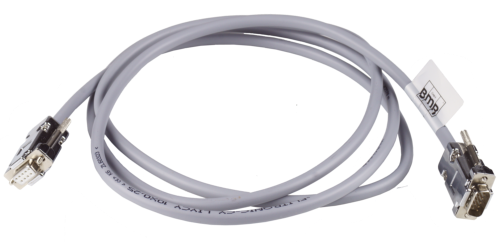
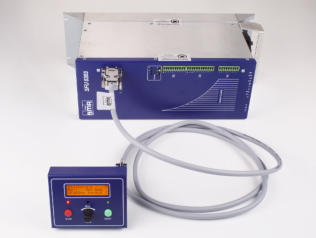
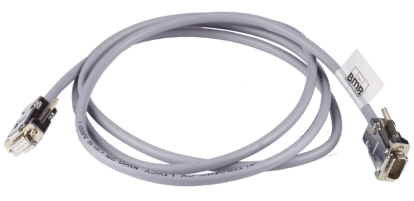
SFU0303 Controlpanel connection cable
This special cable enables you to operate the inverter and control panel
separately from each other. This offers the advantage that, for example,
the inverter can remain in the control cabinet, but the machine operator
can operate the control panel easily accessible at the front of the machine
or at the control cabinet door.
It is also possible to connect several of these 2m long cables to each other.
A guaranteed functionality has been tested up to 6m, but more is available
on request.
Compatible to:
•
SFU 0303
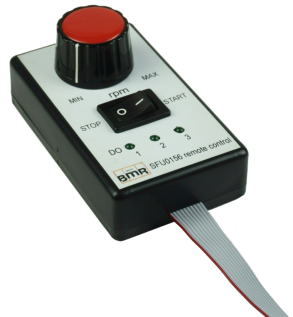
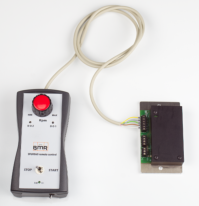
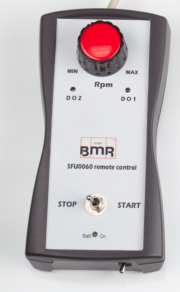
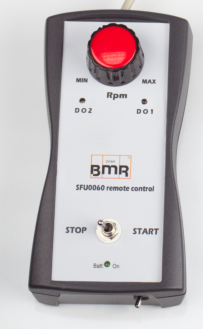
Remote Control for SFU0156
Allows you to remote control the SFU0156 without the
hassle of programming a PLC or connecting a PC.
Ideal for start-up, or uncomplicated use on older machines.
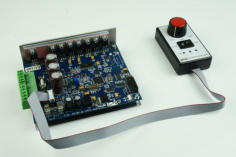
Remote Control für SFU 400
Allows you to remote control the SFU400 without the
hassle of programming a PLC or connecting a PC.
Ideal for start-up, or uncomplicated use on older machines.

Walpersdorfer Str. 38
91126 Schwabach
Tel.:
+49 (0)9122 - 63148-0
Fax.:
+49 (0)9122 - 63148-29



Overview
15 Pin Sub-D to Mini-USB
The adapter has to be plugged into the 15 pin Sub-D
connector of the inverter. A mini USB cable can then
be plugged into this and connected to the PC. The
inverter can then be configured using the free
terminal software.
Compatible to:
•
SFU 0200
•
SFU 0102 / 0202
•
SFU 0300

15 Pin Sub-D to RS232
This cable is used to connect the inverter to an RS232
interface. This can be a machine controller, or a PC to
configure the inverter. The inverter can be configured
using the free terminal software.
Compatible to:
•
SFU 0200
•
SFU 0102 / 0202
•
SFU 0300

Mini USB cabel
This cable is used to connect the inverter to the PC. The
inverter can be configured using the free terminal
software.
Compatible to:
•
SFU 0103 / 0203
•
SFU 0156
•
SFU 1000
•
SFU 0303

SFU0303 Controlpanel connection cable
This special cable enables you to operate the inverter and
control panel separately from each other. This offers the
advantage that, for example, the inverter can remain in
the control cabinet, but the machine operator can
operate the control panel easily accessible at the front of
the machine or at the control cabinet door.
It is also possible to connect several of these 2m long
cables to each other. A guaranteed functionality has been
tested up to 6m, but more is available on request.
Compatible to:
•
SFU 0303
Feldbus Gateway
•
Gateway for an easy connection of BMR frequency
converters to higher level machine controls
•
Support most industrial and fieldbus systems
•
Designed for Industry 4.0 applications
•
Interface for a mudluar, smart and compact system
solution
•
Currently supported: Profibus, EtherCAT, Common
Ethernet, EtherNet / IP, DeviceNet, Profinet-IRT, BACnet/IP,
CC-Link IE Field, CC-Link, Modbus TCP, Powerlink etc.
•
Can be retrofitted and compatible with existing BMR
frequency drives
SFU-Communicator
Remote Control for SFU0156
Allows you to remote control the SFU0156 without the
hassle of programming a PLC or connecting a PC.
Ideal for start-up, or uncomplicated use on older
machines.
Remote Control für SFU 400
Allows you to remote control the SFU400 without the
hassle of programming a PLC or connecting a PC.
Ideal for start-up, or uncomplicated use on older
machines.
















![[x]](index_htm_files/close.png "Schließen")